Free Invoice Generator: Create Professional Invoices in Minutes

Free Invoice Generator: Create Professional Invoices in Minutes
Invoices are the backbone of getting paid. Yet most freelancers and small business owners waste time recreating the same document over and over.
A good invoice takes minutes to create. A bad one delays payment and looks unprofessional.
This guide walks you through what makes an invoice actually work, then shows you how to generate one in seconds using a free tool.
What Makes a Professional Invoice
Invoices are not just receipts. They are legal documents that protect you and your client. Missing one required field can delay payment or create confusion.
Required Fields Every Invoice Needs
Your Business Information Your name or company name, address, phone number, and email. This tells the client who they are paying.
Invoice Number and Date A unique number (Invoice #001, #002, etc.) and the date issued. This creates a paper trail and prevents duplicate payments.
Client Information Your client's name, company, and billing address. Mistakes here cause payments to go to the wrong place.
Itemized Description of Work What you did. How many hours. What rate. Line items prevent disputes about scope and cost.
Total Amount Due The final number. Make it impossible to miss. This is the number your client is looking at.
Payment Terms When payment is due. Net 30. Net 15. Due on receipt. Unclear terms delay payment.
Payment Instructions How to pay you. Bank transfer. PayPal. Check. Make it easy or you will chase the client for payment details.
Your Tax ID (if applicable) Some clients require this for their records. Have it ready.
Common Invoice Mistakes That Delay Payment
Vague Descriptions Instead of "Consulting" write "Website strategy session, 3 hours at $150/hour." Specific descriptions prevent payment delays and disputes.
Missing Invoice Number Clients track invoices by number. No number means no tracking. It gets lost in their system.
Unclear Payment Instructions Do not assume the client knows how to pay you. Write it out. Bank account. Routing number. PayPal email. Make it obvious.
No Due Date Clients pay what they understand is due. No due date means no urgency. Always include one.
Inconsistent Formatting If your invoice looks different every time, it looks unprofessional. Use the same template every time.
Missing Your Contact Information If the client has a question about the invoice, they need to reach you. Include email and phone.
How to Generate a Professional Invoice in Minutes
Instead of building invoices from scratch in Word or Google Docs, use a tool that does it for you.
Step 1: Go to the Invoice Generator
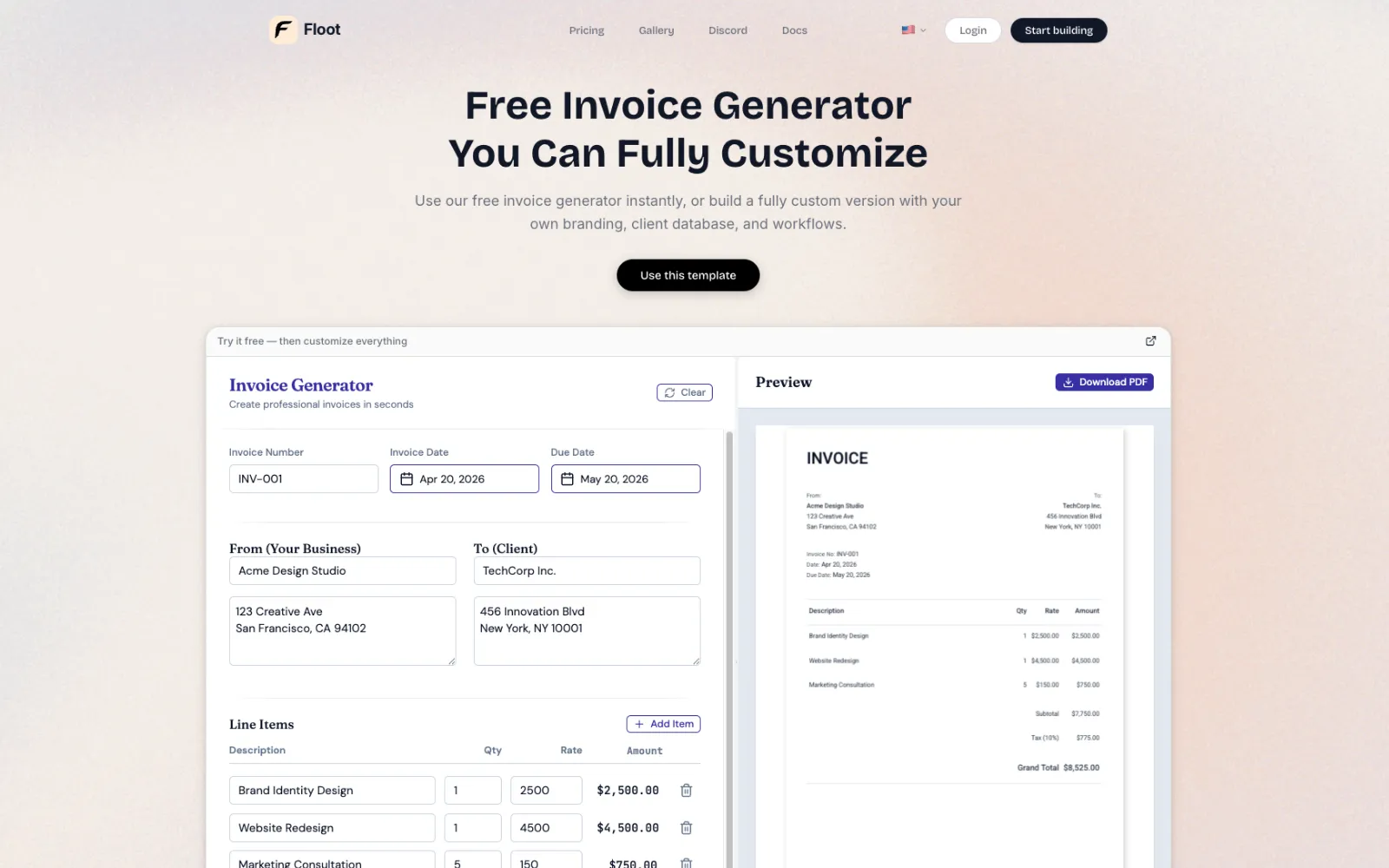
Open the free invoice generator at https://floot.com/tools/invoice-generator. No login required. No credit card required.
Step 2: Fill in Your Business Information
Enter your name or company name, address, and contact information. This appears at the top of every invoice you create.
Your information auto-fills on future invoices, so you only enter it once.
Step 3: Add Client Information
Enter your client's name, company, and billing address. Double-check this. Payment depends on accurate client details.
Step 4: Create Line Items
For each service or product, add a line item with:
- Description of what you provided
- Quantity or hours
- Rate per unit or per hour
The tool calculates the total automatically. Add as many line items as needed.
Step 5: Set Payment Terms
Choose when payment is due. Net 30 (payment due in 30 days). Net 15. Due on receipt. The tool calculates the due date automatically.
Step 6: Add Payment Instructions
Enter how the client should pay you. Bank transfer details. PayPal email. Stripe link. The clearer this is, the faster you get paid.
Step 7: Review and Download
Preview your invoice. Check for typos. Verify all numbers are correct. Download as PDF and send to your client.
What to Do When You Need More Features
The free invoice generator handles one-off invoices. But if you need recurring invoices or a client database, you can expand it.
Copy the invoice generator and ask the AI to add:
- Recurring invoice scheduling (auto-generate invoices every month)
- Client database (save client info for future invoices)
- Payment tracking (mark invoices as paid, pending, or overdue)
- Invoice templates (save custom designs for different project types)
- Automated reminders (send payment reminders automatically)
The AI can build these features into your tool in minutes. No coding required.
Why This Matters
Every hour you spend building invoices manually is an hour you are not spending on your business. A tool that generates invoices in seconds frees you to focus on actual work.
Professional invoices also get paid faster. Clients take you seriously when your invoice looks polished and complete.
Start Creating Invoices Now
Generate your first invoice in seconds at https://floot.com/tools/invoice-generator. Download it. Send it. Get paid.
Once you see how much time this saves, you can expand it with recurring invoices and client management.
Meta Description
Create professional invoices in minutes with this free tool. Learn what fields are required, common mistakes to avoid, and a step-by-step walkthrough with screenshots.